Why rounds multiply
Most revision rounds are not about taste. They happen because the client could not picture the option, pointed at the wrong thing, or forgot what was already decided. Each of those is a communication failure, and each one costs a full cycle: export, send, wait, decode the reply, redo. Cut the misunderstandings and the rounds that remain are the real ones, where an actual decision gets made.
Four habits that cut rounds
- Show directions, not one bet
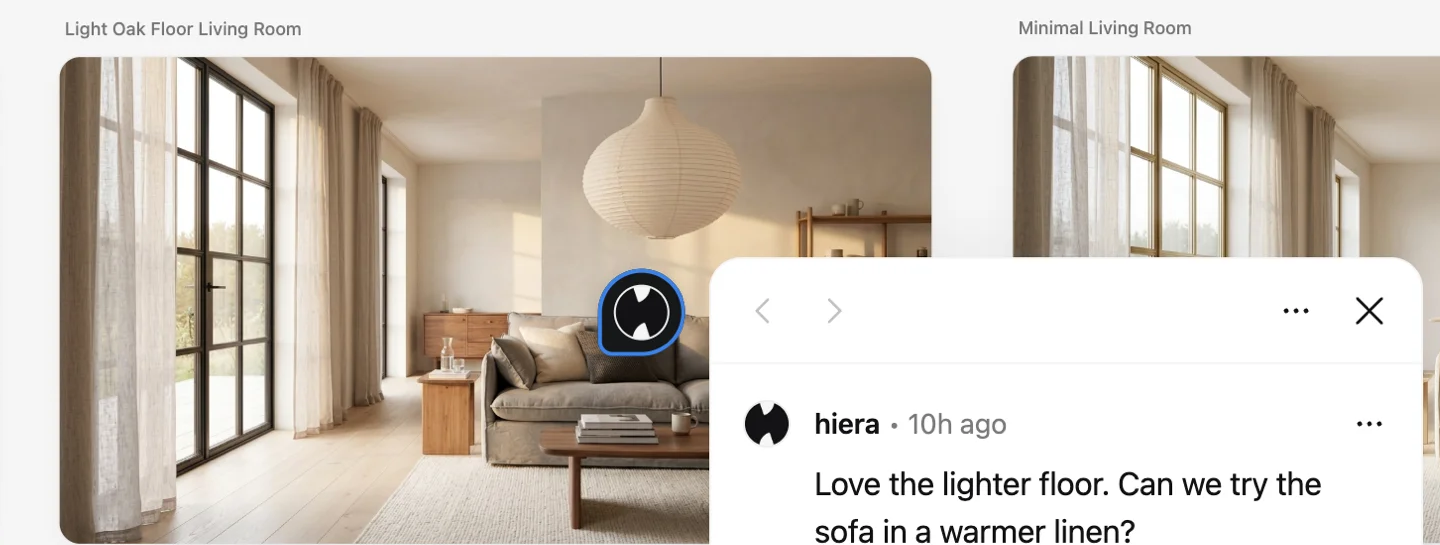
One concept invites “can we see something else?” by default. Two or three directions side by side turn the first meeting into a choice instead of a guess, and the render keeps the client’s own room, so they are choosing between real options.
- Collect feedback on the image
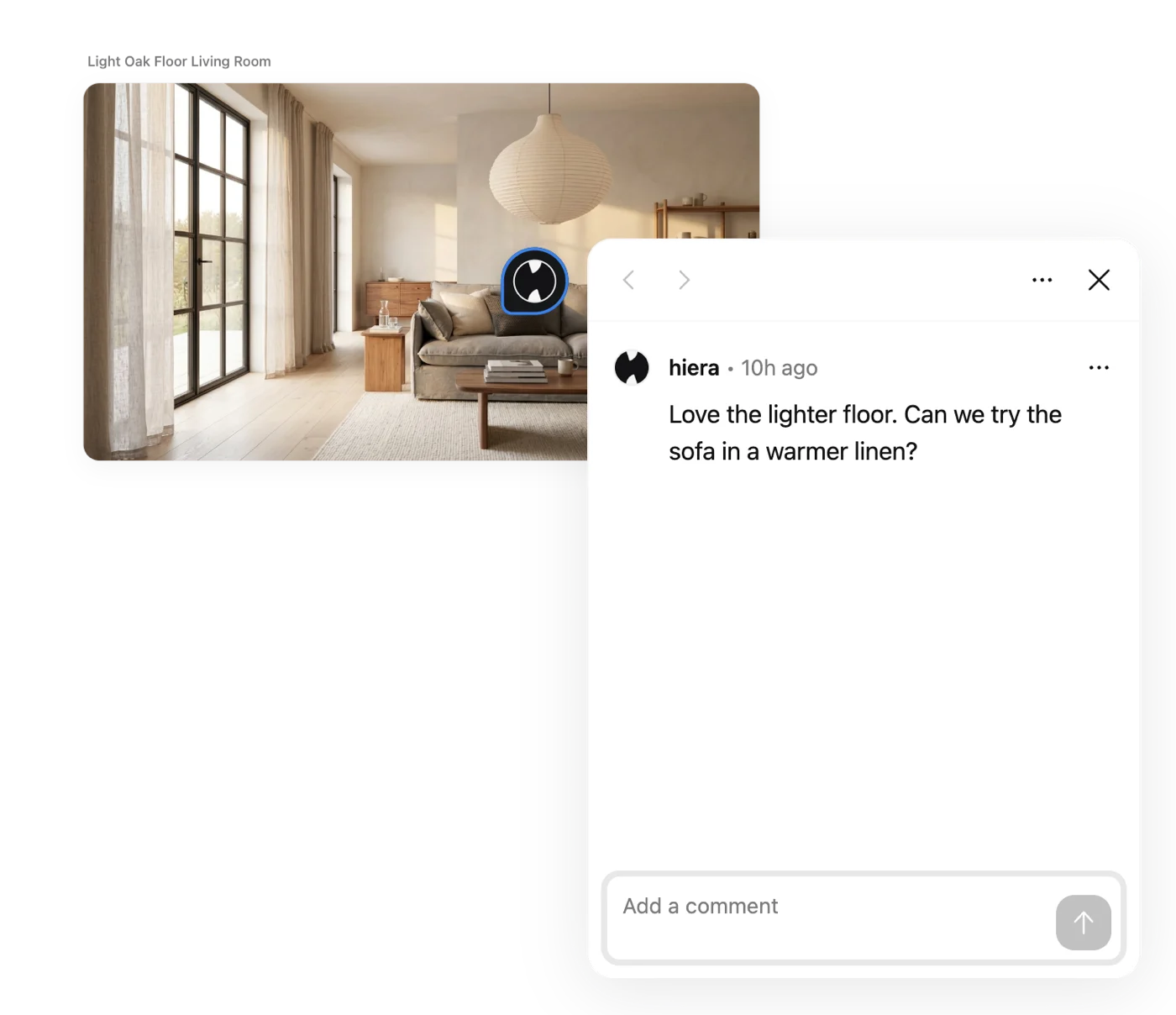
“The chair in the third photo” starts an archaeology project. A comment pinned on the chair itself does not. When feedback lands on the exact spot it is about, the change request survives translation.
- Make the change next to the ask
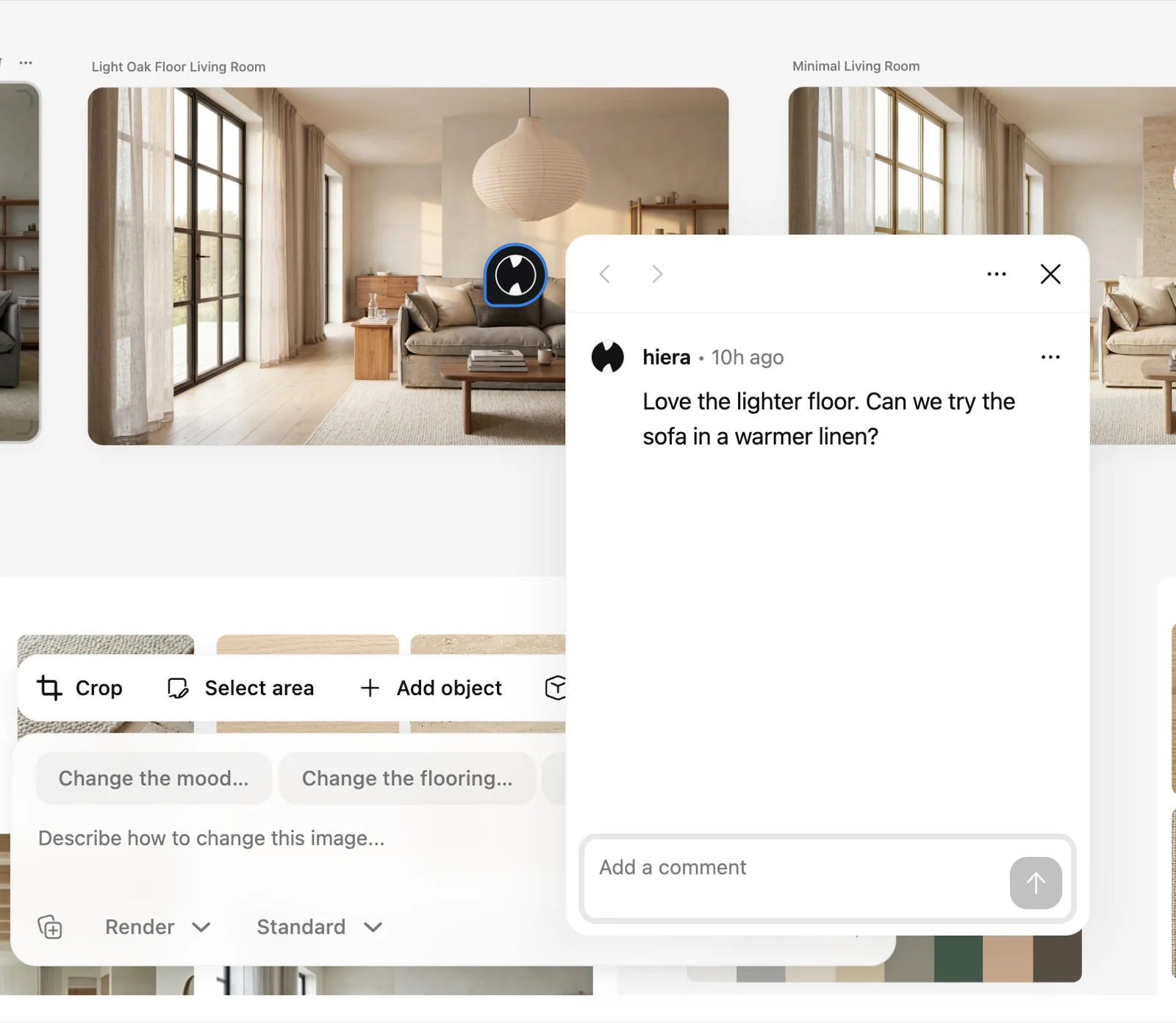
Change the render in one sentence, right beside the comment that asked for it. The client sees the before, the request and the after in one glance, which is what makes them comfortable saying yes.
- Keep the decisions visible
Rejected options stay on the canvas as the record of what was explored. When someone circles back to an old idea, you point at it instead of relitigating it.
The fastest round is the one that does not happen: before sharing, run the obvious client asks yourself (“warmer light”, “lighter floor”) and include them as options. You answer the second round inside the first.
What this looks like on one canvas
In Hiera the whole loop lives in one file: the room photo, the directions generated from it, the client’s pinned comments, the one-sentence edits and the moodboard that sells the winner. The client opens a single link and always sees the current state, so there is no version five to argue about.
Where to go from here
The feedback loop mechanics are in How to collect client feedback, building the option lineup in How to try different styles on one room, and the presentation itself on the presentation and approval page. Or open the app and run your next review this way; the workspace is free.