How credits work
Hiera itself is free; AI actions are what use credits. Credits belong to the workspace, so the whole team draws from one shared balance. $1 buys 1,000 credits, and credits you buy never expire.
Every AI action has a fixed price in credits. The app shows it on the button before you start (in Auto, where Hiera picks the kind of action, the range it can cost), and you are charged only when the action completes and delivers a result. The full price list is on the pricing page.
Free credits
A new workspace gets 540 free credits when you sign up and verify your email, and at the start of each month (UTC) its free credits are topped back up to 540 (not while it has Hiera Pro). Free credits are used before credits you buy and work for any AI action. How they work in full is on the pricing page.
Hiera Pro
Hiera Pro is an optional plan for one workspace: $15 a month, always charged in US dollars. Each time a Pro payment goes through, the workspace’s free and Pro credits are topped up to 18,000 (about 100 Standard renders) right away. Pro adds credits only; everything else in Hiera works the same without it, and pay-as-you-go top-ups stay available from $5.
- Unused credits don’t roll over. Each payment tops free and Pro credits back up to 18,000, adding only what it takes to get there, so they never add up beyond it. If they already hold 18,000 or more, a payment adds nothing and is still due. Credits you buy don’t count towards the 18,000 and never expire.
- Held credits. While the workspace owes credits or its AI features are paused, a payment’s Pro credits are added once that is cleared.
- Spend order. Pro credits share one balance with your free credits and are spent with them, before credits you bought. Automatic top-up counts them as free credits, so it never charges while free or Pro credits can still pay.
- Monthly free credits. While Pro is on, including after you cancel until Pro ends, the workspace doesn’t get the monthly top-up of free credits. It starts again in the month Pro ends. Free and Pro credits share one balance, so the top-up, and a welcome grant still waiting, only fill it up to 540 and may add nothing.
- Owner only. Only the workspace owner can subscribe to or cancel Pro: Upgrade to Pro on the Plan card in Settings → Billing goes straight to Stripe Checkout, where the terms are set out under the Subscribe button. Editors spend Pro credits like any others.
Renewing and cancelling Pro
Pro renews each month on the day you subscribed and charges the card saved for it, until you cancel.
- If a renewal fails
Stripe retries it for up to two weeks and emails you; to pay it straight away, press Pay now on the Plan card. Pro stays on, but no credits are added until a payment goes through. If every retry fails, Pro ends.
- Cancelling
Press Cancel Pro on the Plan card in Settings → Billing, or email [email protected] from your account’s email address. Pro runs to the end of the month you paid for, with no refund for the rest of it, and the Pro credits you have stay usable.
Pro credits are not credits you bought: they are not refundable and end with the workspace. If a Pro payment is refunded, other than for a withdrawal, Pro ends at once, and if that payment added credits we also cancel the workspace’s free and Pro credits. If a chargeback is opened on any payment in the workspace, Pro ends at once and is not restored, and we cancel the workspace’s free and Pro credits, even if the chargeback is later decided in our favour. A bank inquiry alone pauses AI features but does not end Pro. The full rules, withdrawal included, are in section 3A of our Terms.
Checking your balance
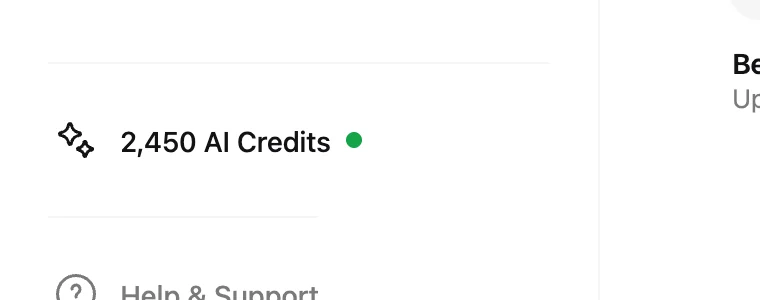
Your current balance is always visible in the dashboard sidebar as the AI Credits pill. Click it to open the top-up screen. The workspace owner finds usage details and past transactions in Settings → Billing.
Topping up
- Open the top-up screen
Click the AI Credits pill, or go to Settings → Top up.
- Pick an amount
Choose $5, $10, $25, $50 or $100, each shown with the Standard renders it buys, or type any whole-dollar amount from $5 to $200.
- Pay and go
Checkout is handled securely by Stripe; credits land in the workspace balance right after. Prices are set in US dollars. Stripe may show and charge the equivalent in your local currency, at a rate shown before you pay that includes Stripe’s conversion fee, or you can pay in US dollars.
Where Billing offers it for your workspace, the owner can also turn on automatic top-up: it buys the amount you choose when the balance falls below the level you set, never more than $200 a day or $600 a month per workspace. It stays off unless you turn it on.
Only the workspace owner can purchase credits or subscribe to Hiera Pro. Editors spend them, viewers can see the balance. The full breakdown is in workspaces, members and roles.
Transactions and usage
In Settings → Billing, the workspace owner sees every top-up, the Hiera Pro credits added, and what the team has spent, so it is always clear where credits went. If a number ever looks off, write to us. The transaction history makes it quick to trace.